---
title: Sharing your job to Jobbland
description: Manually post your Zynca job on the Jobbland job board!
---
[Skip to content](https://hub.zynca.com/support/sharing-your-job-to-jobbland#main-content)
English
Show submenu for translations
[More support](https://hub.zynca.com/support/kb-tickets/new?hsLang=en)
[](https://zynca.com)
- [Home](https://zynca.com)
Open main navigation
Close main navigation
- [Home](https://zynca.com)
- English
Show submenu for translations
- [More support](https://hub.zynca.com/support/kb-tickets/new)
- [Home](https://zynca.com)
[Home](https://zynca.com)
How can we help you?
- There are no suggestions because the search field is empty.
1. [Support](https://hub.zynca.com/support?hsLang=en)
2. [Boosting](https://hub.zynca.com/support/boosting?hsLang=en)
# Sharing your job to Jobbland
## Manually post your Zynca job on the Jobbland job board
In addition to boosting your job on Zynca using one of Zynca's boosting channels, you can also publish your job manually to different job boards and link to your Zynca job ad on those job boards.
This means that when you post your job on one of these job boards, the candidates will click on a link that leads back to your Zynca job ad, so that they can apply on the Zynca job ad and end up in your Zynca pipeline.
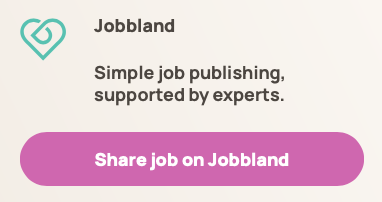
In order to get started, first click on the sharing link in your job boosting view in Zynca:
Then on the front page, initiate the job sharing process:
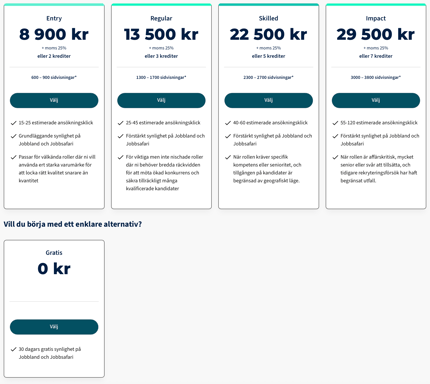
The website will ask you to select a plan:
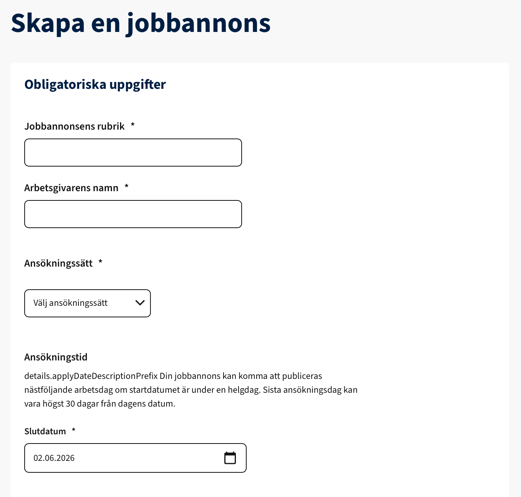
You'll then be guided through the process of deciding how your job should look on the website:
At one point while setting up your job, you'll be asked if you want to provide an external link for candidate applications:
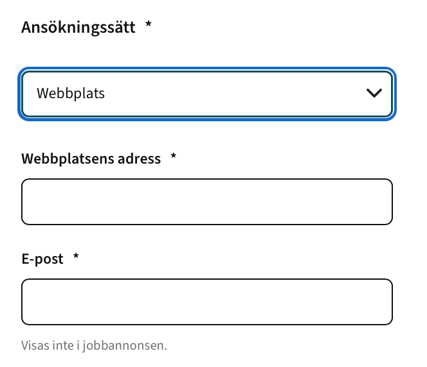
At this point, go back to Zynca and click on "View job ad" in the pipeline's job options menu:
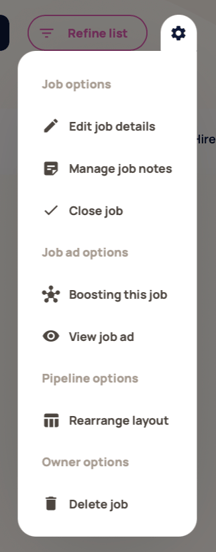
After being redirected to your Zynca job ad page, copy the URL from the page:

Then go back to the job board website, and paste the link into the external link field:
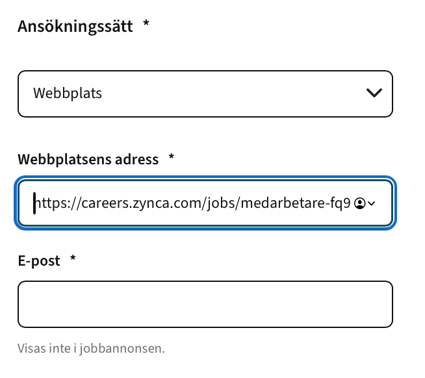
After doing this, you can follow the rest of the instructions on the page and finally share your job to the job board:

Once the job is live on the job board website, you'll be able to receive candidates in your job pipeline on Zynca:
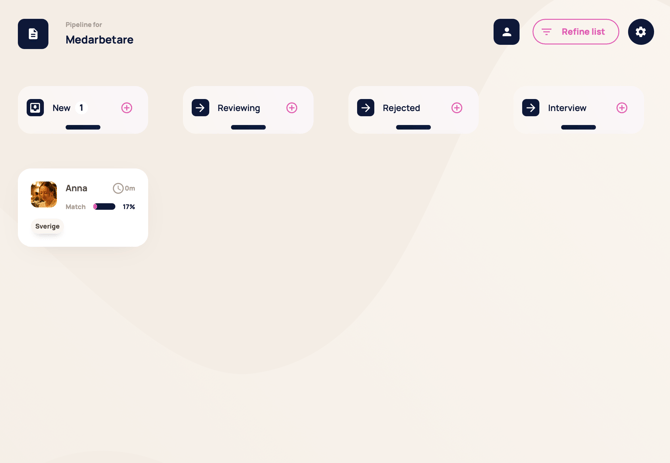
And that's the process!
If you need more help, please don't hesitate to reach out to us by visiting [http://zynca.com](http://zynca.com) and contacting us through any of the contact and support methods on the website!
- [Account management](https://hub.zynca.com/support/account-management?hsLang=en)
- [Pipeline](https://hub.zynca.com/support/pipeline?hsLang=en)
- [Job ad](https://hub.zynca.com/support/job-ad?hsLang=en)
- [Company management](https://hub.zynca.com/support/company-management?hsLang=en)
- [Integrations](https://hub.zynca.com/support/integrations?hsLang=en#main-content)
- [Platsbanken](https://hub.zynca.com/support/integrations?hsLang=en#platsbanken)
- [Communication](https://hub.zynca.com/support/communication?hsLang=en)
- [Workbuster](https://hub.zynca.com/support/workbuster?hsLang=en#main-content)
- [Candidate profile](https://hub.zynca.com/support/workbuster?hsLang=en#candidate-profile)
- [Search and sort](https://hub.zynca.com/support/workbuster?hsLang=en#search-and-sort)
- [Boosting](https://hub.zynca.com/support/boosting?hsLang=en)
- Home
- Products
- Pricing
- Blog
- Company
[](https://zynca.com)
123 Waverly Pl., Boston, MA 02135
[mailto:email@email.com](mailto:email@email.com)
Copyright © 2025,